AI ToolsHub
HomeCategoriesDiscovery CopilotGuides & Insights
  1. Home
  2. Tools
  3. Video Enhancer
  4. movavi-video-suite
movavi-video-suite

movavi-video-suite

Video editing suite with support for clipping, screen recording, and media format conversion
Video EnhancerTikTok AssistantYouTube AssistantVideo Editor
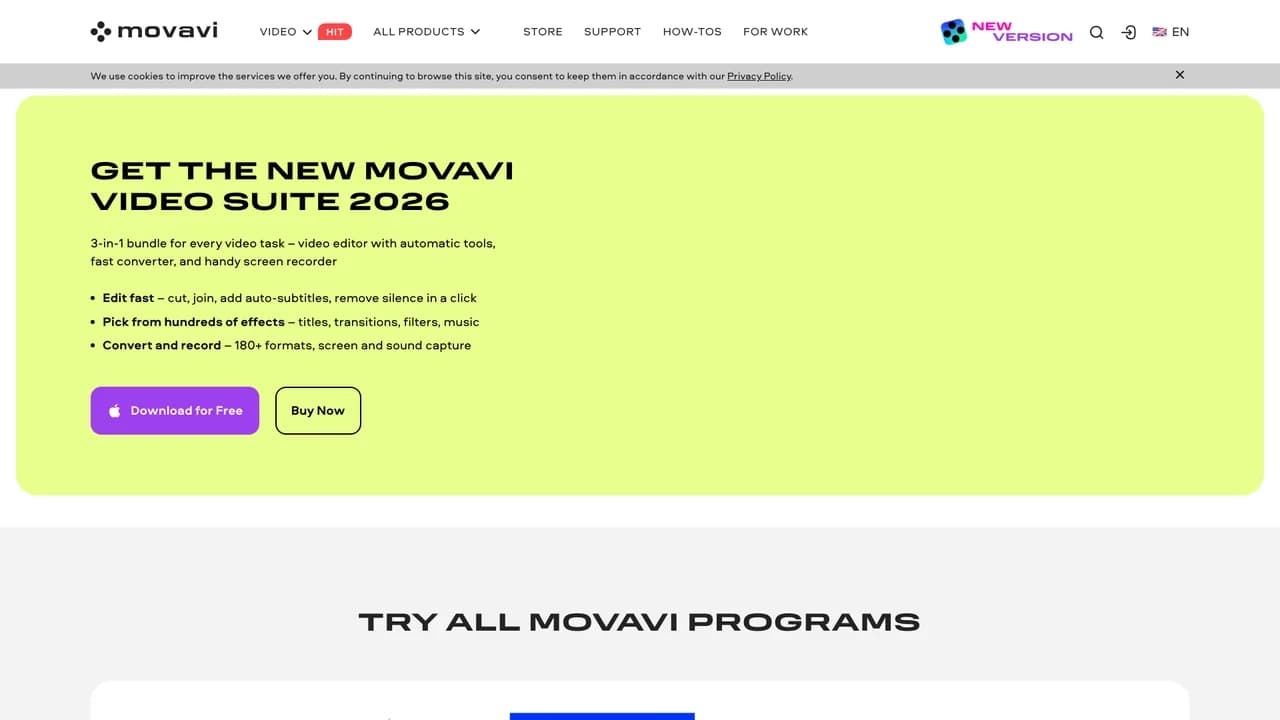
movavi-video-suite screenshot
OverviewAlternatives

Monthly Visits

226

Avg. Session Duration

1 min

Category Rank

N/A

Bounce Rate

0.6%

What is movavi-video-suite?

Movavi Video Suite is a comprehensive multimedia software package designed to simplify video creation and media management. It combines an intuitive video editor with AI-powered features such as motion tracking, background removal, and noise reduction, along with screen recording and high-speed media conversion tools. Whether you're a beginner or a professional, you can easily create stunning videos, slideshows, and photo projects. With access to over 6,000 effects and a rich content library, Movavi Video Suite enhances both creativity and productivity.

Key Features of movavi-video-suite?

AI-Powered Video Editing
Includes smart motion tracking, AI background removal (no green screen required), and AI noise reduction to easily enhance video quality.
Intuitive Timeline and Editing Tools
Drag-and-drop multi-track timeline interface with precise clip cutting, trimming, reverse playback, and merging.
Extensive Effects and Content Library
Access thousands of filters, transitions, titles, stickers, and over 1,500 music tracks to enrich your video projects.
High-Speed Media Conversion and Export
Supports multiple video, audio, and image formats with hardware acceleration for fast rendering, and direct upload to platforms like YouTube and TikTok.
Screen Recording and Capture
Record full screen, custom regions, camera, and microphone input, with real-time annotation and cursor highlighting support.

Alternatives to movavi-video-suite

mediaio

mediaio

Media.io is a browser-based multimedia platform that offers comprehensive video, audio, and image processing tools without requiring software installation. The platform combines traditional media editing features with modern capabilities such as object removal, background replacement, and automatic subtitle generation. Users can convert files between more than 30 formats, edit content using professional-grade tools, and enhance media quality through cloud processing. The service supports batch processing, integrates with Google Drive and Dropbox, and automatically deletes files after processing to ensure privacy.

4.4M
75% Match
kinemaster

kinemaster

KineMaster is a leading mobile video editor designed for both beginners and professionals, offering comprehensive editing tools on smartphones and tablets. It supports multi-layer editing, chroma key (green screen), keyframe animation, speed control, and AI-powered features such as background removal and super resolution. With access to a vast library of royalty-free music, sound effects, stickers, and video templates through its built-in asset store, users can easily create high-quality videos optimized for social platforms like YouTube, TikTok, Instagram, and Facebook. The app also offers flexible options including KineCloud cloud collaboration and 4K video export.

367.5K
67% Match
videoleap

videoleap

Videoleap is a versatile video editing application designed for both beginners and professionals, integrating powerful AI capabilities to simplify and enhance the video creation experience. With an intuitive interface and a comprehensive suite of tools—including AI effects, background removal, object erasure, and infinite zoom—users can create videos from scratch or use pre-designed templates optimized for social platforms such as TikTok, Instagram Reels, and YouTube Shorts. Supporting multi-layer editing, advanced compositing, and precise audio control, Videoleap serves as a comprehensive solution for content creators, influencers, businesses, and everyday users to produce professional-quality videos seamlessly across mobile and desktop devices.

128.3K
67% Match
zapcap-ai

zapcap-ai

ZapCap AI is an advanced video editing solution designed to automate the creation of high-quality animated subtitles and enhance video content with AI-powered tools. Supporting over 48 languages with up to 99.9% transcription accuracy, it enables users to easily add subtitles, images, GIFs, transitions, and sound effects. Built for content creators, marketers, educators, and businesses, ZapCap AI helps boost engagement, accessibility, and brand consistency. With developer-friendly APIs, customizable templates, and an intuitive editing interface, ZapCap streamlines professional video production, making it more efficient and scalable.

64.1K
67% Match
clipchamp

clipchamp

Clipchamp is a versatile online video editing platform designed to streamline the video creation process for users of all types. It supports flexible integration of video, images, and audio, and features a rich library of visual effects such as text overlays, transitions, and filters. Integrated with Microsoft services, Clipchamp allows users to import media directly from OneDrive, Xbox, Google Drive, and Dropbox, and export finished videos seamlessly to major platforms like YouTube and TikTok. The platform offers both personal and business plans, making it suitable for individual creators, teams, and educational institutions.

8.3M
60% Match
movavi-video-editor-2026

movavi-video-editor-2026

Movavi Video Editor 2026 is a user-friendly desktop video editing software designed for content creators of all skill levels. Combining powerful editing capabilities with an intuitive interface, the software enables users to transform raw footage into polished videos without requiring professional expertise. Built around automated tools and a comprehensive library of effects, transitions, and music tracks, Movavi streamlines the video creation process from initial import to final export. The 2026 version introduces enhanced automation features, including one-click audio muting, effect replication across clips, and expanded subtitle customization, making video editing faster and more efficient for both casual creators and semi-professional producers.

3.6M
60% Match
AI ToolsHub

Your copilot for discovering, comparing, and organizing AI tools.

AI ToolsHub is a directory for software and SaaS. We do not sell hardware.

Product

  • Canva
  • Readdy
  • Lovart

Legal

  • Privacy Policy
  • Terms of Service

Company

  • About
  • Contact

Trending in This Category

emastered

emastered

An audio master processing platform that automatically adjusts EQ, compression, and volume to enhance sound quality.

795.1K
vanceai

vanceai

An image and video enhancement platform that automatically improves quality, restores old photos, performs lossless upscaling, and removes backgrounds.

572.4K

You May Also Like

mediaio

mediaio

Media.io is a browser-based multimedia platform that offers comprehensive video, audio, and image processing tools without requiring software installation. The platform combines traditional media editing features with modern capabilities such as object removal, background replacement, and automatic subtitle generation. Users can convert files between more than 30 formats, edit content using professional-grade tools, and enhance media quality through cloud processing. The service supports batch processing, integrates with Google Drive and Dropbox, and automatically deletes files after processing to ensure privacy.

4.4M
kinemaster

kinemaster

KineMaster is a leading mobile video editor designed for both beginners and professionals, offering comprehensive editing tools on smartphones and tablets. It supports multi-layer editing, chroma key (green screen), keyframe animation, speed control, and AI-powered features such as background removal and super resolution. With access to a vast library of royalty-free music, sound effects, stickers, and video templates through its built-in asset store, users can easily create high-quality videos optimized for social platforms like YouTube, TikTok, Instagram, and Facebook. The app also offers flexible options including KineCloud cloud collaboration and 4K video export.

367.5K
videoleap

videoleap

Videoleap is a versatile video editing application designed for both beginners and professionals, integrating powerful AI capabilities to simplify and enhance the video creation experience. With an intuitive interface and a comprehensive suite of tools—including AI effects, background removal, object erasure, and infinite zoom—users can create videos from scratch or use pre-designed templates optimized for social platforms such as TikTok, Instagram Reels, and YouTube Shorts. Supporting multi-layer editing, advanced compositing, and precise audio control, Videoleap serves as a comprehensive solution for content creators, influencers, businesses, and everyday users to produce professional-quality videos seamlessly across mobile and desktop devices.

128.3K
zapcap-ai

zapcap-ai

ZapCap AI is an advanced video editing solution designed to automate the creation of high-quality animated subtitles and enhance video content with AI-powered tools. Supporting over 48 languages with up to 99.9% transcription accuracy, it enables users to easily add subtitles, images, GIFs, transitions, and sound effects. Built for content creators, marketers, educators, and businesses, ZapCap AI helps boost engagement, accessibility, and brand consistency. With developer-friendly APIs, customizable templates, and an intuitive editing interface, ZapCap streamlines professional video production, making it more efficient and scalable.

64.1K
clipchamp

clipchamp

Clipchamp is a versatile online video editing platform designed to streamline the video creation process for users of all types. It supports flexible integration of video, images, and audio, and features a rich library of visual effects such as text overlays, transitions, and filters. Integrated with Microsoft services, Clipchamp allows users to import media directly from OneDrive, Xbox, Google Drive, and Dropbox, and export finished videos seamlessly to major platforms like YouTube and TikTok. The platform offers both personal and business plans, making it suitable for individual creators, teams, and educational institutions.

8.3M
movavi-video-editor-2026

movavi-video-editor-2026

Movavi Video Editor 2026 is a user-friendly desktop video editing software designed for content creators of all skill levels. Combining powerful editing capabilities with an intuitive interface, the software enables users to transform raw footage into polished videos without requiring professional expertise. Built around automated tools and a comprehensive library of effects, transitions, and music tracks, Movavi streamlines the video creation process from initial import to final export. The 2026 version introduces enhanced automation features, including one-click audio muting, effect replication across clips, and expanded subtitle customization, making video editing faster and more efficient for both casual creators and semi-professional producers.

3.6M